- Guide
- Theme setup
Enable Theme App Extension
On this page
The USF Core Snippet is a Theme App Extension that allows our app to work seamlessly with your Shopify theme. You need to enable it in your theme's App Embeds section.
How to enable the USF Core Snippet automatically from our dashboard
In our dashboard, navigate to Theme Setup.
Click on Go to theme editor.
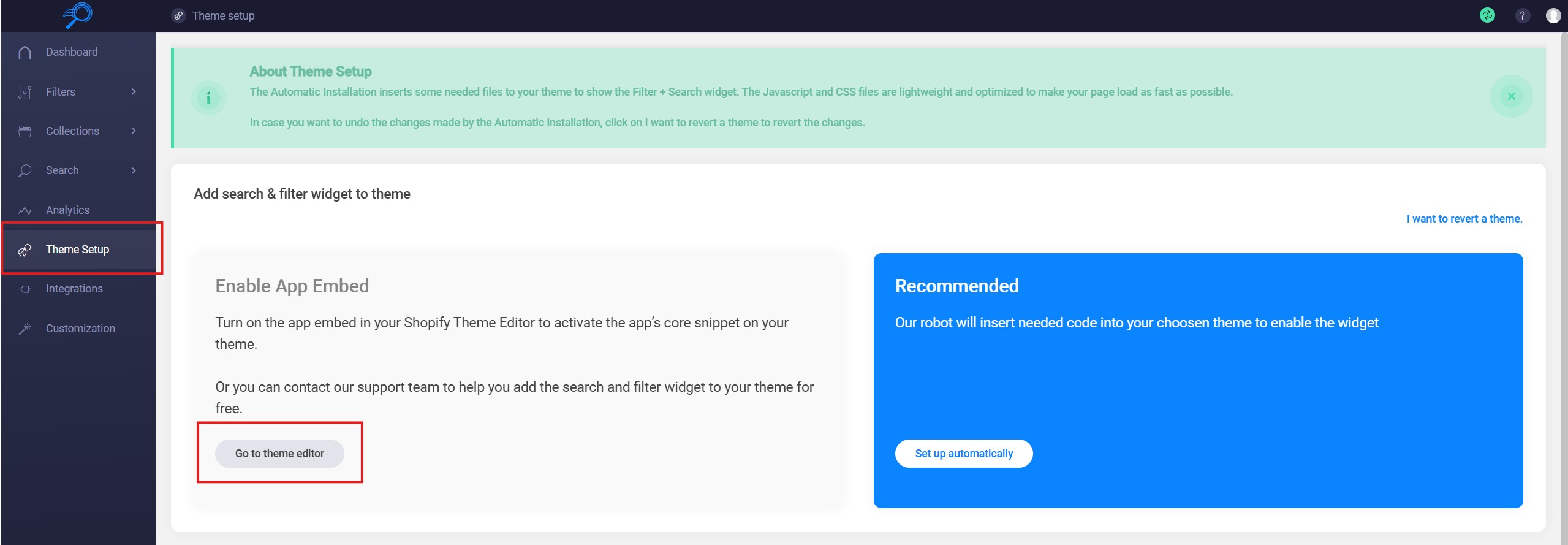
You will be redirected to your Shopify theme editor with the USF Core Snippet automatically enabled. You can check the App Embeds section to confirm it's enabled.
How to enable the USF Core Snippet from Shopify Admin
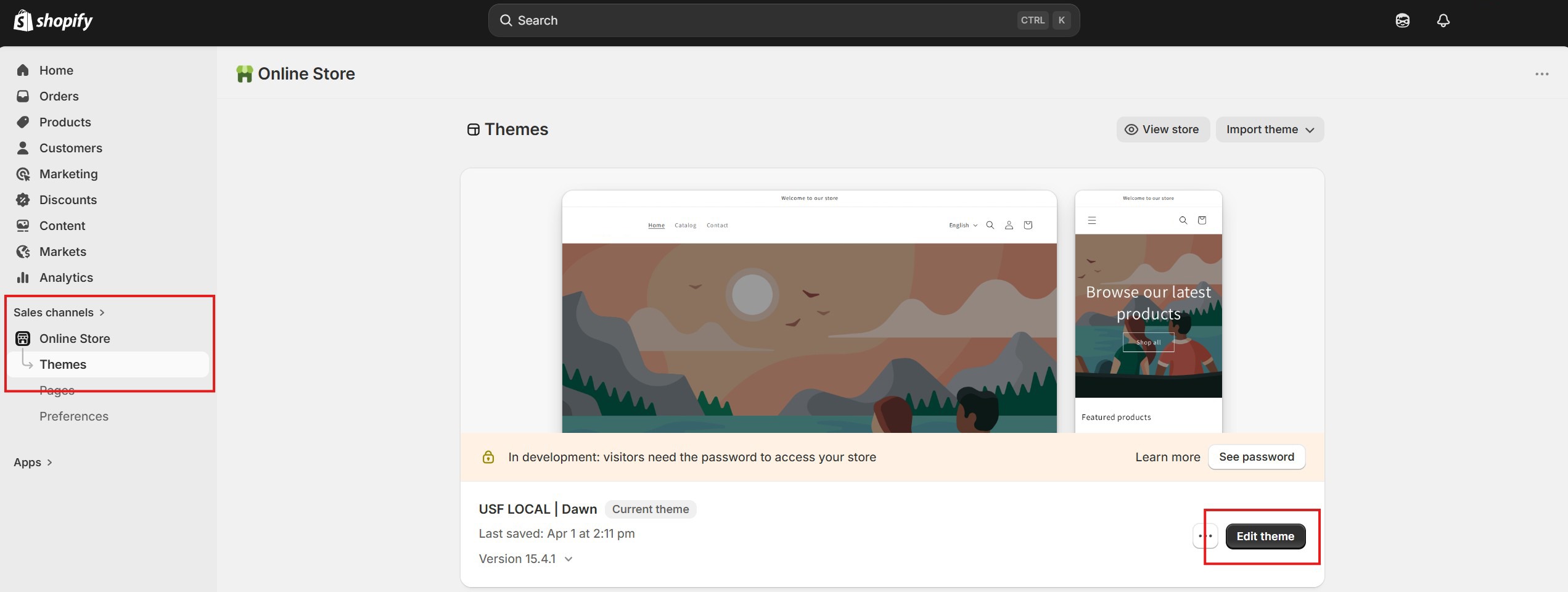
From your Shopify admin, go to Online Store > Themes.
On your current theme, click Edit theme.
In the Theme Editor, click the App Embeds icon on the left sidebar (it looks like a grid with blocks).
Find USF Core Snippet in the list of app embeds and toggle it on.
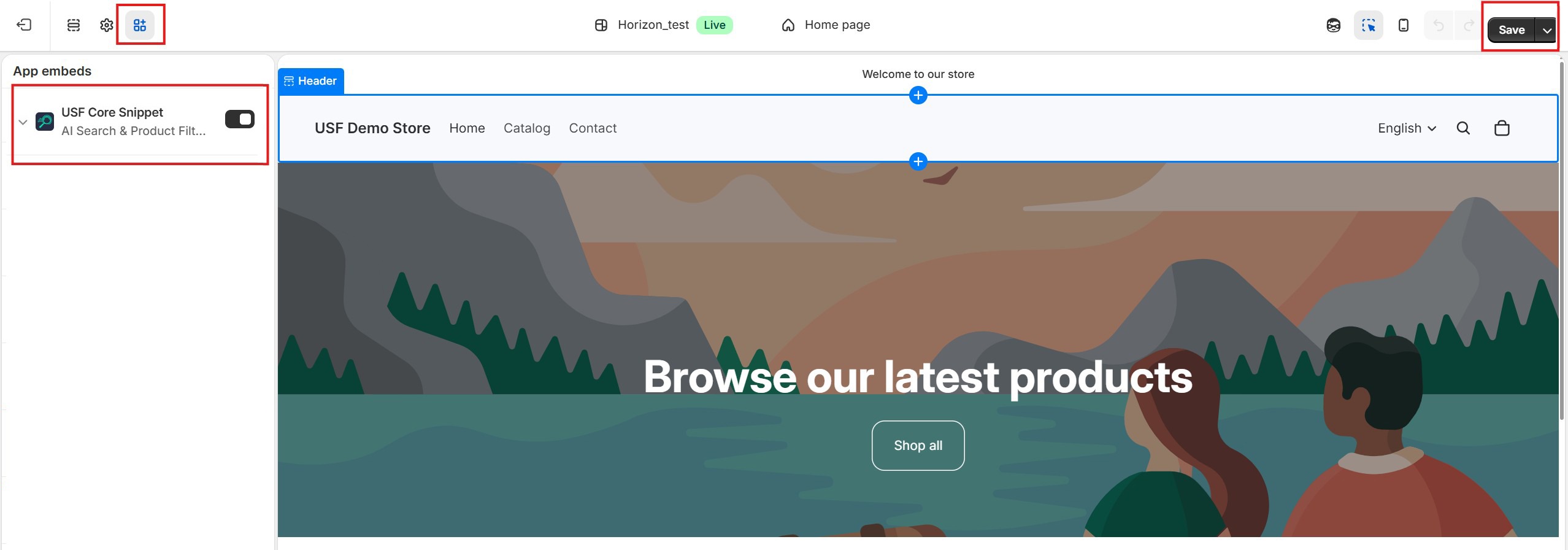
- Click Save in the top right corner.
After enabling the USF Core Snippet, our app will be able to render search and filter widgets on your store.
Please don't hesitate to contact us at support@sobooster.com if you need any help with setting it up.
14 Days Risk Free Trial. No credit card required. Cancel anytime.